

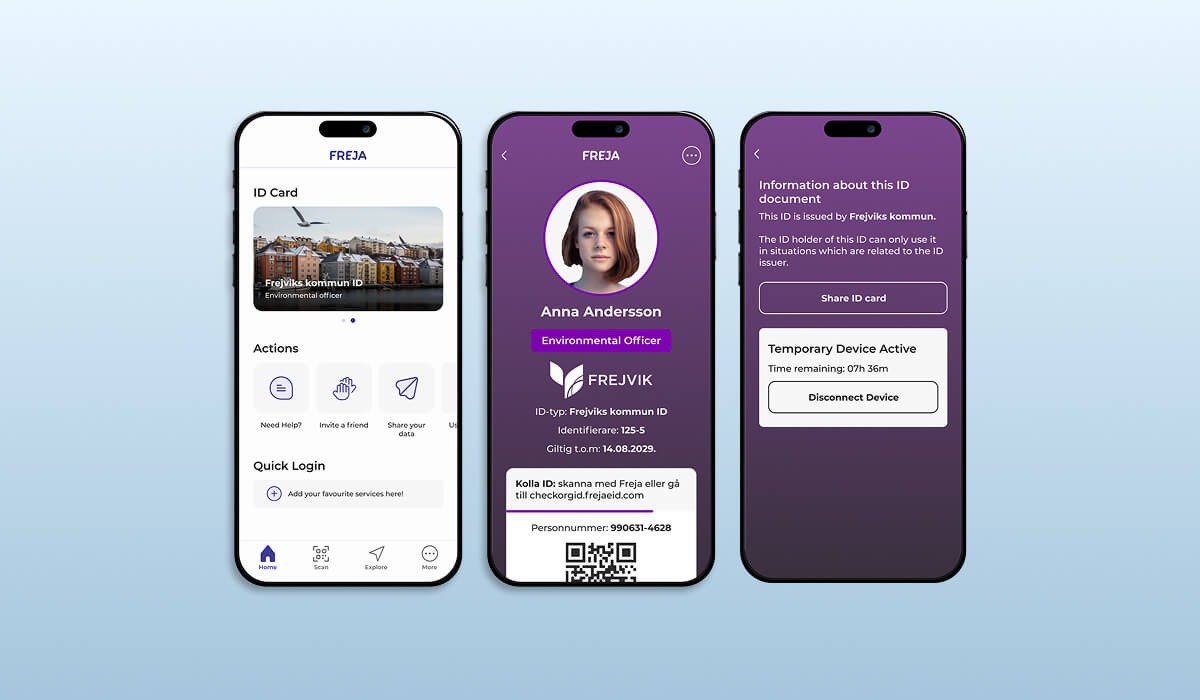
You Control the Entire Provisioning Process
One of the major benefits of Freja’s Organisation ID is they you are under full control over the entire lifecycle of OrgID:
- Its design and what information is stored therein;
- How and to whom it is provisioned;
- How and when it is revoked.
Although you will be reading about how you can customise your OrgID, if you prefer not to, our default design should more than meet your needs. Below you can compare and contrast the default design with a custom one so you can make the best decision.
Our team is always be at your disposal to assist with Freja OrgID customisation.
You can switch to a customised OrgID at any time, just get in touch with us.
Customisation Begins at Provisioning
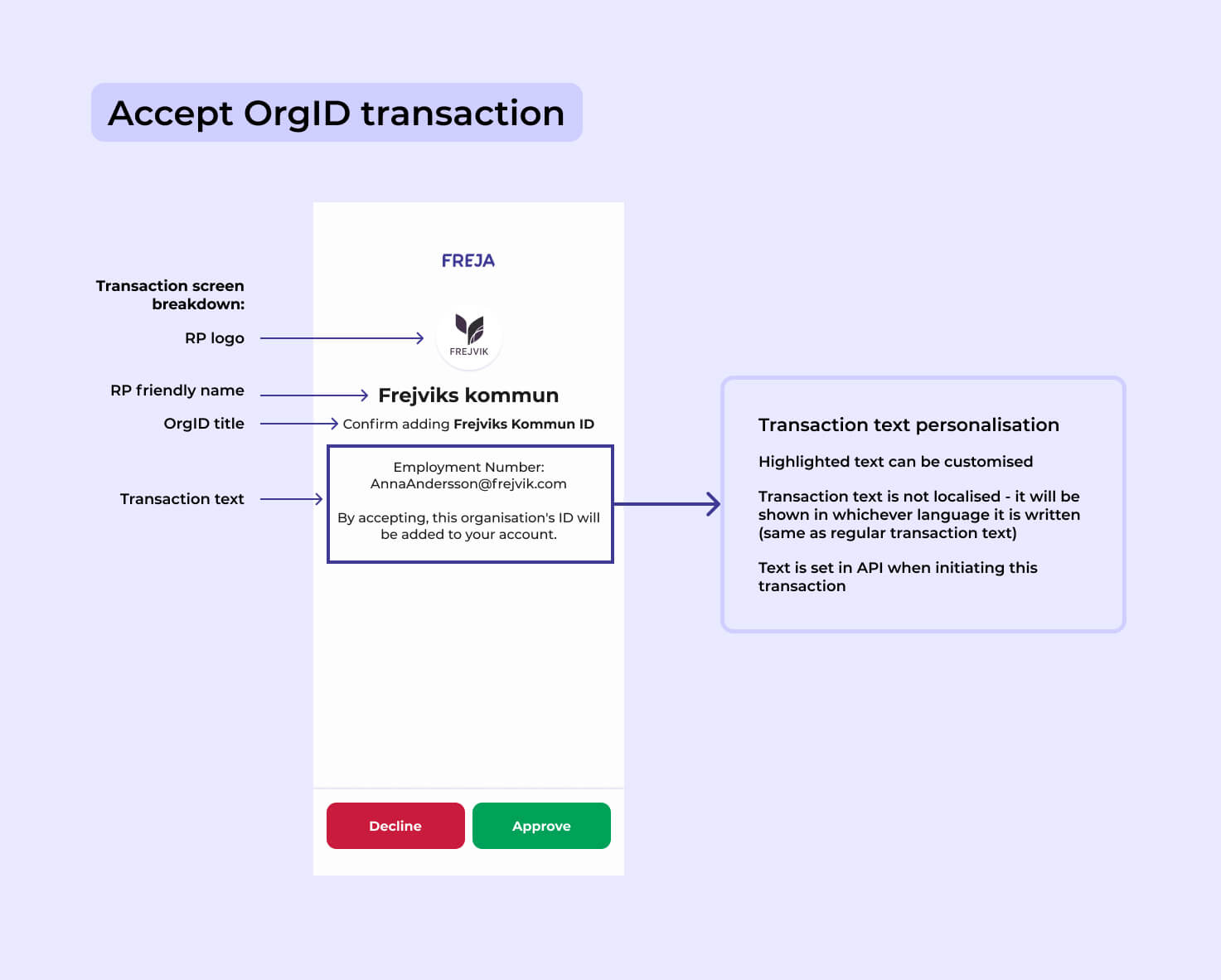
The transaction shown to your users to add OrgID to their Freja account is fully under your control.
The RP friendly name parameter is your organisation/company’s name.
You set the parameter OrgID title via our API.
The rest of the parameters – logo and transaction text – are set together with our team.
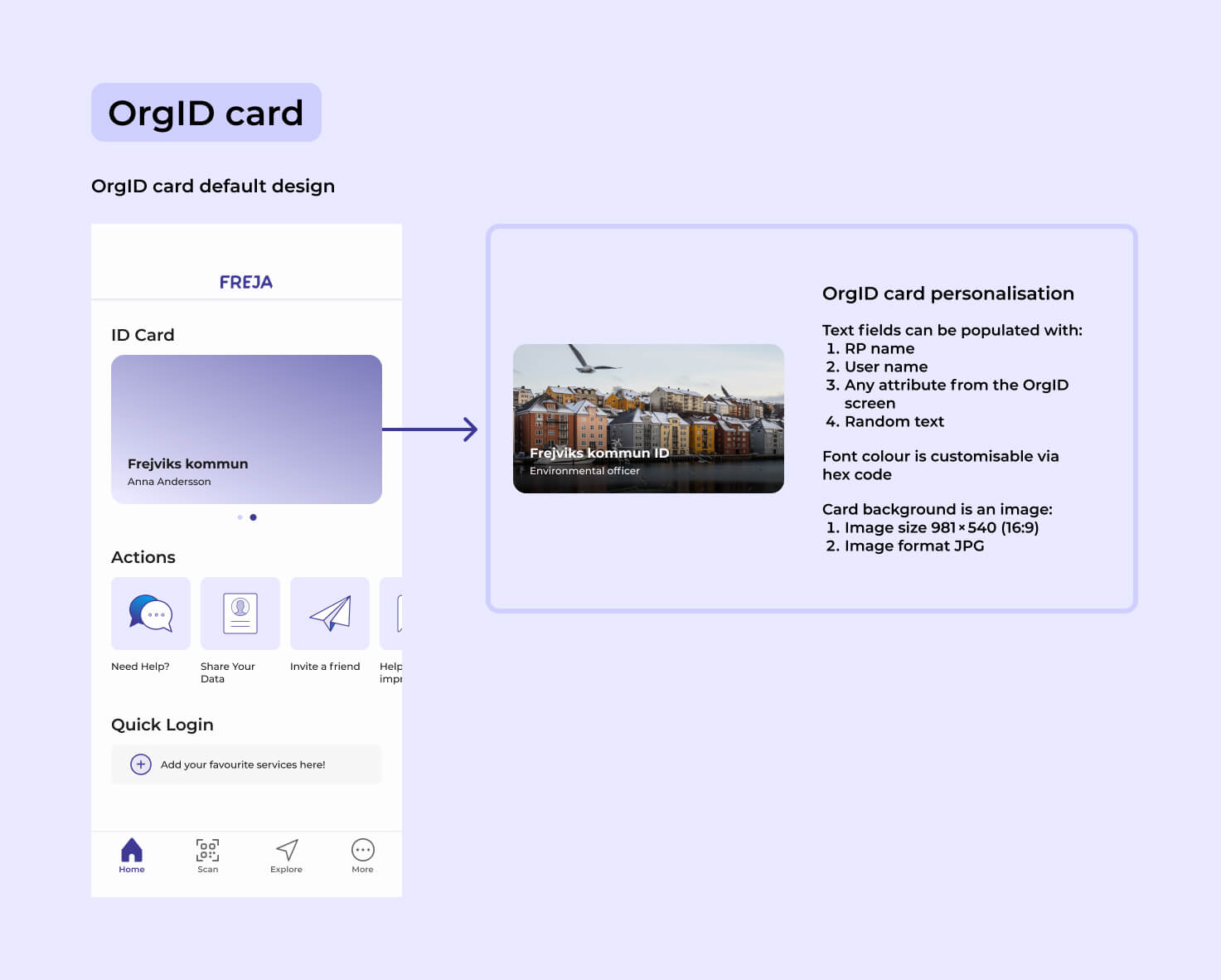
OrgID Card – The Face of OrgID
The Organisation ID card is located on the Freja home screen next to the user’s private ID card in Freja.
Below you can see the difference between our default design and how you can customise the OrgID card to fit your needs.
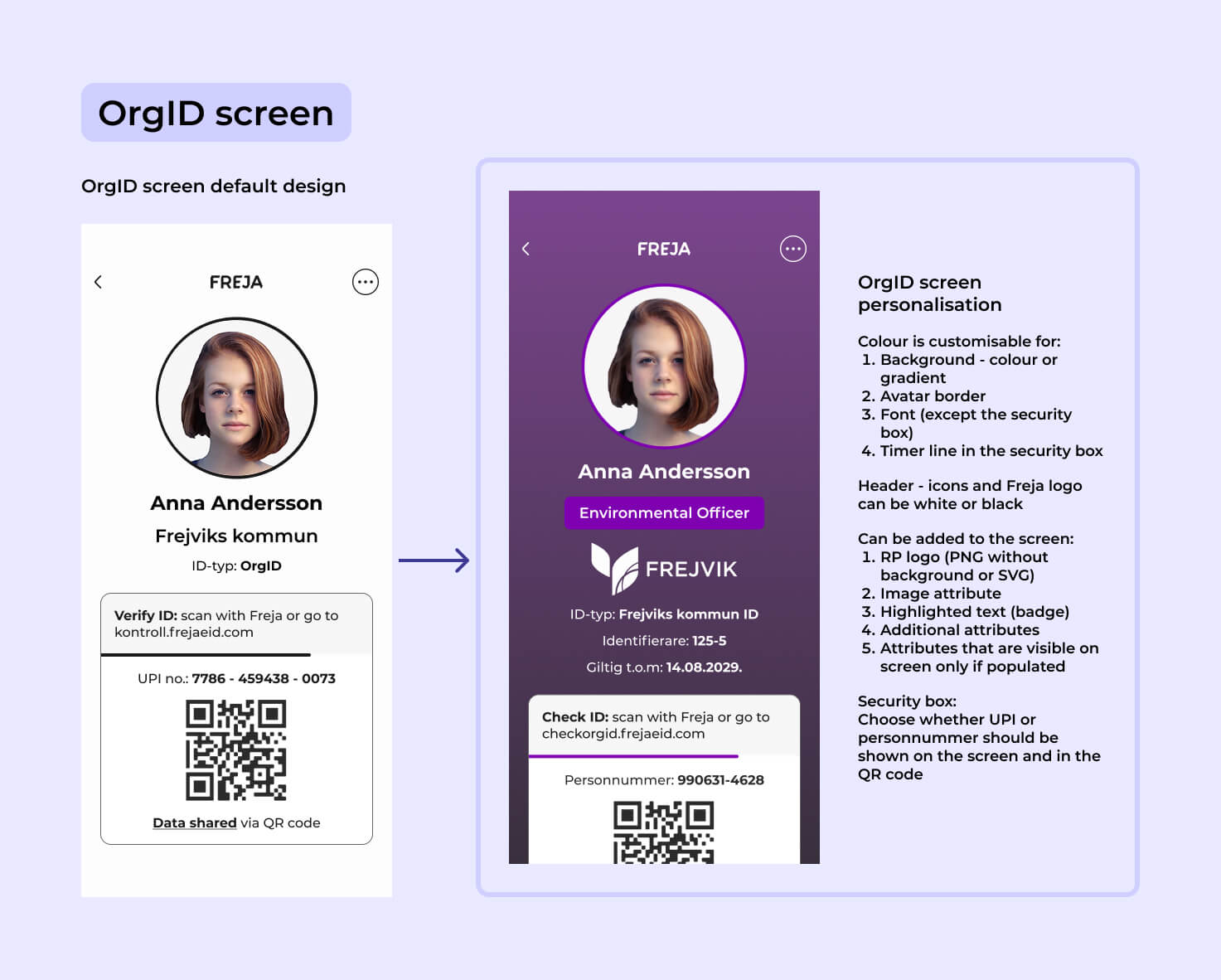
OrgID Screen – Whatever You Need It to Be
The OrgID screen is accessed by tapping on the OrgID card. The data inside is protected by PIN/biometrics.
It is here where you can take the customisation of OrgID to the next level. Whatever your organisation might need – it can fit on the OrgID screen.
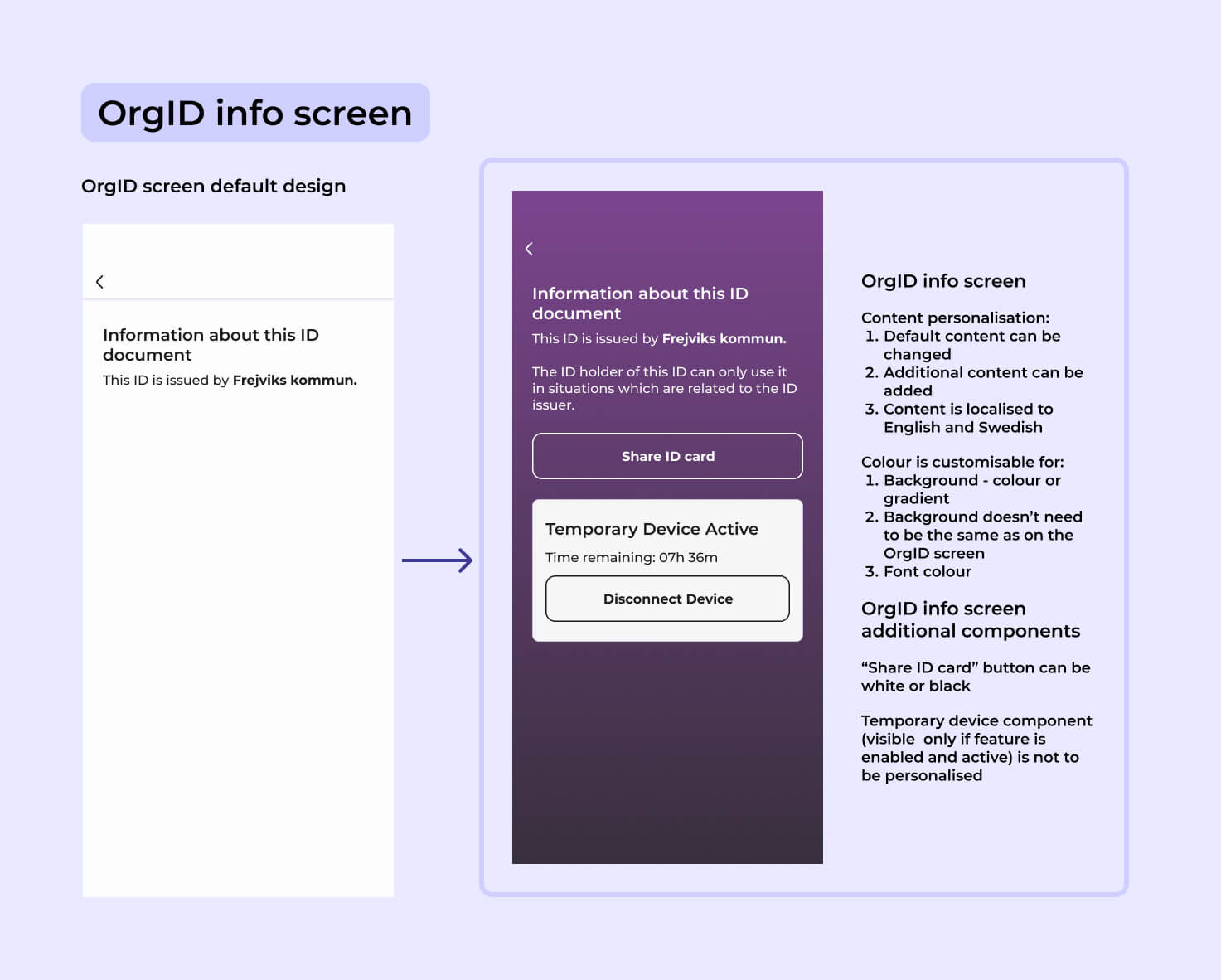
OrgID Info Screen – Always Good to Have
The OrgID screen has ‘another side’, an auxiliary screen that we call the OrgID Info Screen. Users can access it from the main screen.
If the main screen is not enough for you, then this one offers even more space for important information about your OrgID.
Select Examples – Get Inspired by Others
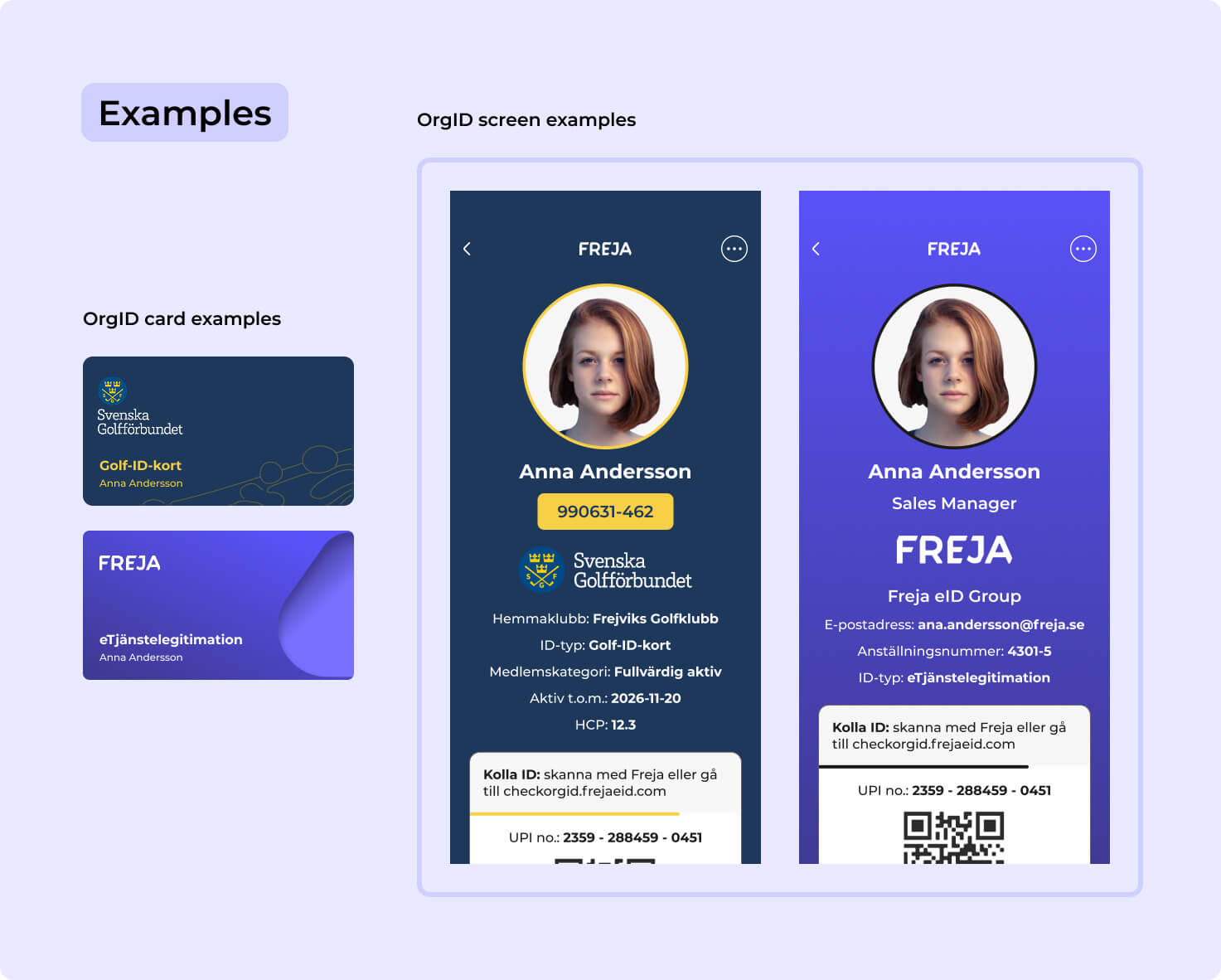
As mentioned before, you’re completely free to start with a default OrgID and, when ready, transition to a more customised design with our help.
Here are two more examples that showcase the look and possibilities of a customised OrgID: Svenska Golfförbundet and Freja’s own OrgID.
Ready to Get Started?
If you have any questions or you would like to get started right away, we’re here for you!
